
7 Most Useful Free Computer Software Every Computer user Must Know in hindi ,.
There's a lot of software out there for your PC or for a laptop some are free and some use and important software are paid but is there any free useful software for computer user for well in this video i will tell you about 7 most useful software that every computer expert or professional , computer geek must know these computer software are really helpful for daily use , list of best softwares for pc.

Computer aur laptop me hardware ho ya software ho dono hi bahot hi important part hote hai maano bina inke kaam hi nhi hota ho to is video me aapko aise 7 free computer software ke baare me jaankari dene wala hu jo aapke bahot jyada kaam aane wale hai hamesha jaise ki computer me driver problem to use thik kr sakte hai ya fir free vpn chalana ho computer me ya fir apne computer data ko protect krna folder ko lock krna aur kayi sare kaam hote hai jise karne ke liye apko paid software khardiana hota hai jiske liye paise lagte hai to is video me free wale software ke baare me jo aapke sahi me bahot kaam ane wale hai to janne ke liye video ko last tak dekhte rahiye.
7 Most Useful Software :-
1.Anvi Folder Locker Free
Anvi Folder Locker is a free security tool that has been developed to help you manage and protect your important files. With Anvi Folder Locker, you can lock your personal files to protect your privacy, set passwords to files so other users will have no access to them. Anvi Folder Locker Free also allows you to add permissions to your files to stop them from being modified, destructed or removed.
Download
Key features include:
- Add a Permission:With file permissions, like Lock, Read Only, Hide and Lock, your files cannot be modified, copied or removed.
- Hide File or Folder:Hide important or confidential files.
- Password-Protect:Set a password to a file or folder so only user with the valid password can gain access to it.
- 24/7 Technical Support:24 hour online
- technical support
Anvi Folder Locker is good at what it does, however there are not a lot of customizable features, such as the ability to select specific encryption algorithms. That being said, for the standard user, if you need to add an extra layer of security to your data, then Anvi Folder Locker is a good tool.
2. WPS Office
High Compatibility
Highcwith Microsoft Office (Word, PowerPoint, Excel and Txt), Google Docs, Google Sheets, Google Slide, Adobe PDF and OpenOffice format.

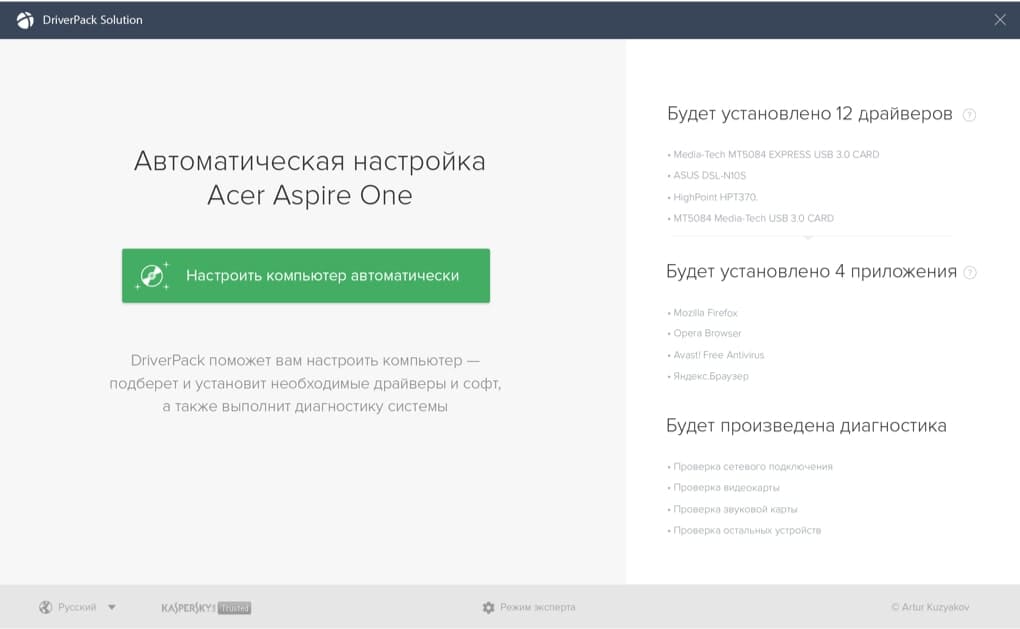
3.DriverPack
DriverPack is the most convenient
and fastest way of configuring a computer
and fastest way of configuring a computer
The software is provided for free, and is suitable both for professionals and for beginners

Free
DriverPack is provided for free

Safe
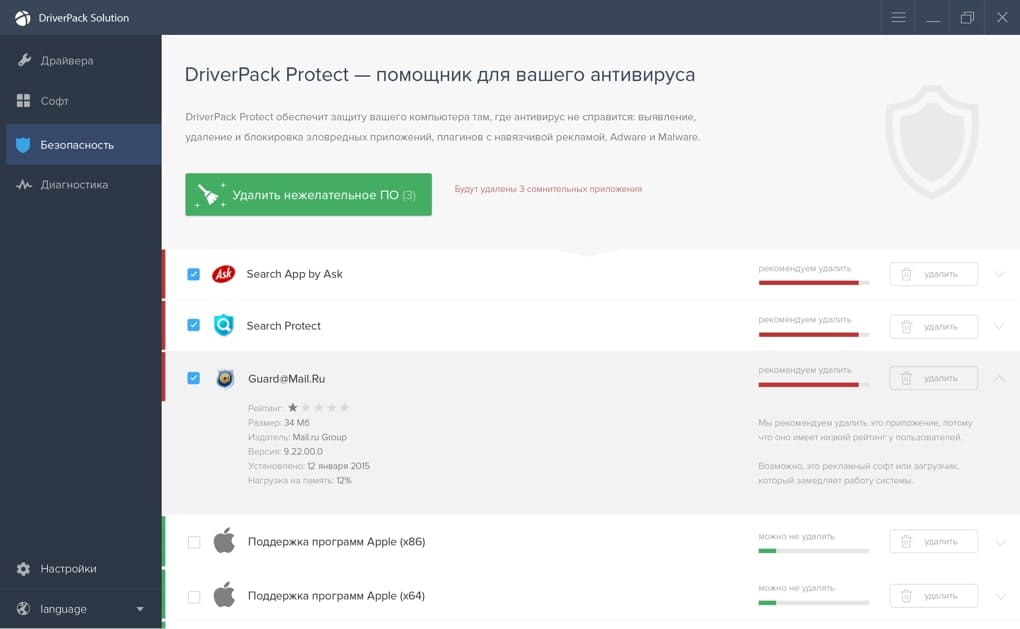
DriverPack officially cooperates with antivirus software manufacturers, and protects your computer

For all devices
DriverPack has the largest driver database in the world, and can be used to configure any computer
DriverPack is the most convenient and fastest way to configure a computer
The software is provided for free, and is suitable both for professionals and for beginners
4.TeamVieweror Android
Remotely control computers as well as transfer files to and from the remote computer.

5.VPN in Opera browser. Surf the web with enhanced privacy.

Free, unlimited, and with no subscription
Enhanced online privacy is a right for everyone. Our free, built-in VPN requires no subscription, payment, or additional extensions.
6.Recuva
Recuva (pronounced "recover") is a freeware Windows utility that can help you to restore your files, which have been accidentally deleted from your computer. This includes files accidentally emptied from the Recycle bin as well as images and other files that have been deleted by user error from memory cards or external devices, such as MP3 players. With Recuva you can even rescue files that have been 'lost' due to bugs, crashes or viruses!
Key Features include:
- Simple to use interface - just click 'Scan' and choose the files you want to recover.
- Easy to use filter for results based on file name/type.
- Simple Windows like interface with List and Tree view.
- Can be run from a USB thumb drive.
- Restores all types of files, including office documents, images, video, music, email etc.
- Supports FAT12, FAT16, FAT32, exFAT, NTFS, NTFS5 , NTFS + EFS file systems.
- Restores files from removable media such as digital cameras, memory sticks, CF cards, Smart Media Cards, SD cards, etc.)
- Restores files from external ZIP drives, Firewire and USB hard drives.
- Lightweight and fast.
Unlike most file recovery tools, Recuva can restore files from damaged or newly formatted drives. With greater flexibility Recuva has a better chance of recovering your data. Recuva comes with an advanced deep scan feature that scours your drive to locate any traces of files you have deleted.
Recuva also has a secure overwrite feature that enables you to destroy a file, so that it cannot be recovered using normal software recovery tools. Using industry and military standard deletion techniques to make sure your files stay erased, Recuva’s secure overwrite feature ensures your data remains as private as possible.
Overall, Recuva is a superior file recovery solution that supports numerous file types, and it can recover your data from any re-writeable media, such as memory cards, external hard drives, and USB drives. It is lightweight, easy to use and, because it is from Piriform, the creators of CCleaner, and Speccy, it is free!
7.File Shredder
With File Shredder you can remove files from your hard drive without fear they could be recovered. There are quite a few software tools today for retrieval of deleted files under Windows OS. Those tools, often referred to as "file recovery" software, are taking advantage of shortcoming of WIndows "delete" command that we all use regularly to delete files. Actually, the "delete" operation in Windows only removes bits of information from files so they appear deleted in OS. It is easy to retrieve those files using aforementioned specialized file recovery software.

( Click on Ads below to support me & Get amazing Downloading 💖 )

👉 अगर आप कंप्यूटर के बारे में और भी जानना चाहते है तो आप इन सारी posts को एक बार जरूर देखें मुझे उम्मीद है की आपको इनसे काफी कुछ जानने को मिलेगा।
🔰
Post a Comment